Office hours —
time slots, one person each
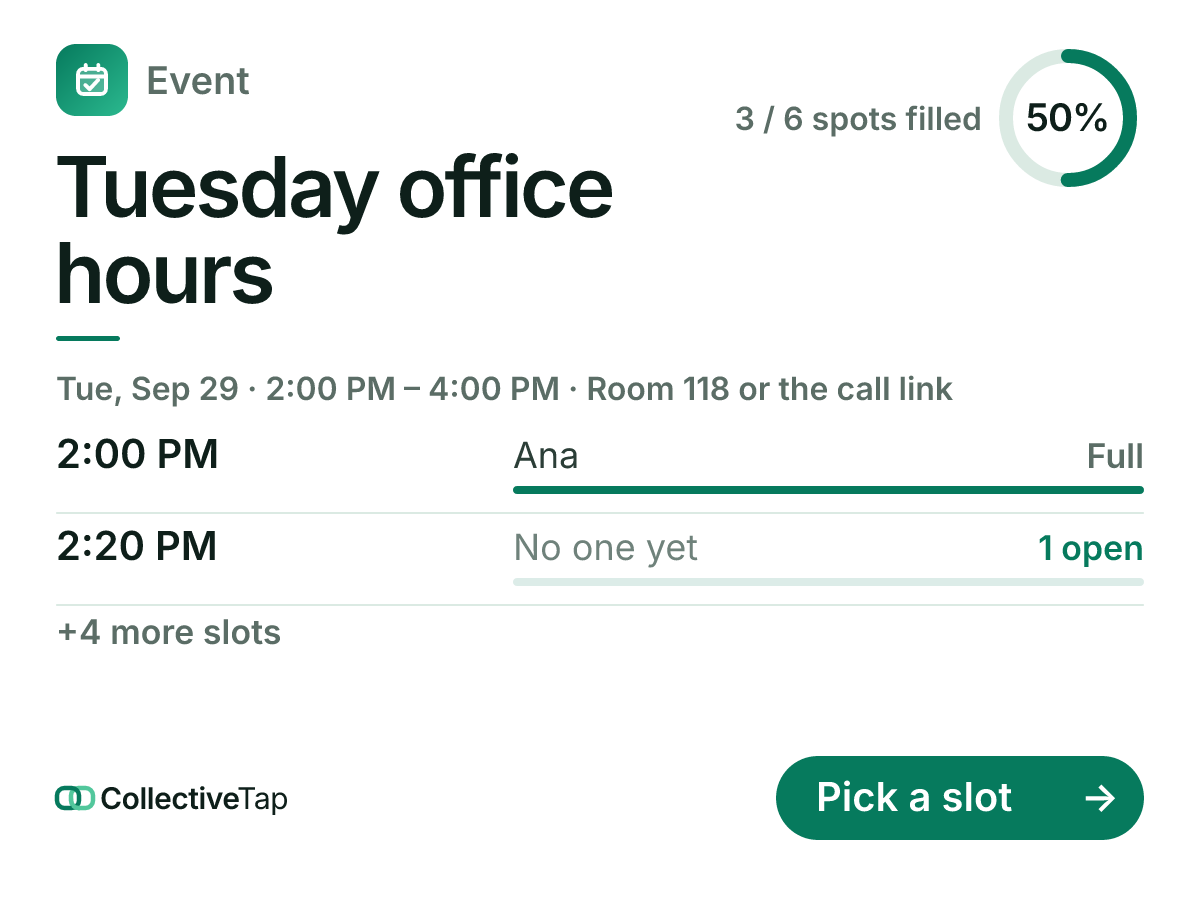
Office hours run best as a list of slots that fill themselves. This kind uses the Slots layout with six twenty-minute slots at one spot each, repeating weekly, so a student picks a time from the card and the professor sees the afternoon laid out.
What the group sees
Pick Office hours and the slot builder opens with six slots from 2:00 to 3:40, one spot each. Change the times, add or remove slots, and the card in the class chat lists them with the name on each taken slot and “Open” on the rest. A student opens the link, picks a slot, types a name, and the slot is theirs.
- One tap to join
- 6 slots
- 2 hours
- Repeats weekly
- Slots layout
When the week ends the link rolls forward and the slots empty. The room or the call link goes in the location, so the page shows Open in Maps for a room and a Join the call button for a video link.
How to set it up
Six slots, one spot each, repeating weekly. Edit the times to match your calendar.
Both show on the page; the call link shows once a student has booked.
Students book from the card. Next week the slots are empty again on the same link.
What it does for you
A student sees the open slots and takes one. No email, no “does 2:20 work”.
A taken slot says so on the card and drops out of the picker on the page.
A weekly repeat clears the slots and keeps the link. The page keeps who came.
Office hours FAQ
Can a slot take two students?
Set its spots to two, or any number. Each slot has its own.
Can I block a slot for myself?
Sign yourself up for it from the page with the host tools, or set its spots to zero and leave it in the list as a break.
Can students cancel?
Yes. A returning phone sees its booking and a Remove me button; the slot opens again on the card.
Make a office hours link.
Free, no account, one link for the group.
Make one like this →