Team practice —
a weekly roster with the names on the card
A coach wants to see names, not a number: who is coming Thursday, who is missing, and whether there are enough for a scrimmage. This kind uses the Roster layout, the names down the card in numbered rows, and repeats every week so the same link runs the season.
What the group sees
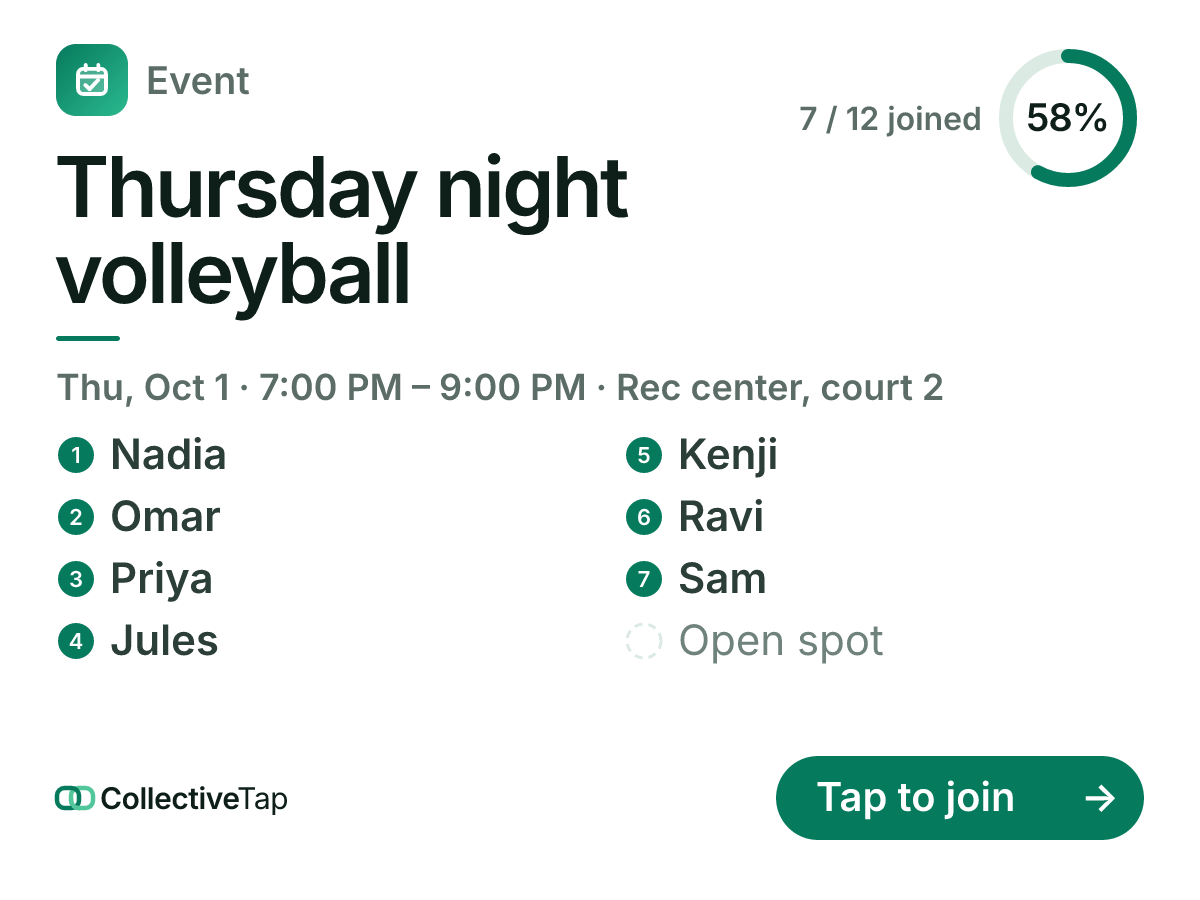
Pick Team practice and the event is set to one-tap joining with sixteen spots in the Roster layout, repeating weekly. Type the gym and the time, and the card in the chat lists the players in two numbered columns, the open spots as dashed rows, with a progress ring for the count. When practice ends, the card rolls to next week and the list starts empty.
- One tap to join
- 16 spots
- 1.5 hours
- Repeats weekly
- Roster layout
Players tap to join from the chat; a returning phone sees “You’re going · Leave” instead of the form, so dropping out is one tap too. The page keeps every past week as history, so the coach can see who came all season without a spreadsheet.
How to set it up
Roster layout, sixteen spots, one tap to join, repeating weekly. Set the number to your squad.
The card lists the names; the page adds Open in Maps and the calendar invite for the whole series.
The link rolls forward every week. Last week’s roster is on the page; this week’s is on the card.
What it does for you
The Roster layout prints who is in, numbered, with the open spots as empty rows.
A weekly repeat means the link in the chat never changes. New players get it once.
Every past practice is kept as history on the page: how many came, and who.
Team practice FAQ
Can I take attendance on the day?
Yes. The host sees a check-in tick on every name on the page; checked-in players show a filled mark.
What if practice is cancelled one week?
Move the date from the admin panel or close the link for that week; the repeat continues from the next date.
How many players fit on the card?
The Roster layout shows around twelve names in two columns and says “+N more” for the rest; the page shows everyone.
Make a team practice link.
Free, no account, one link for the group.
Make one like this →