Party invite —
yes, maybe, no, and plus-ones
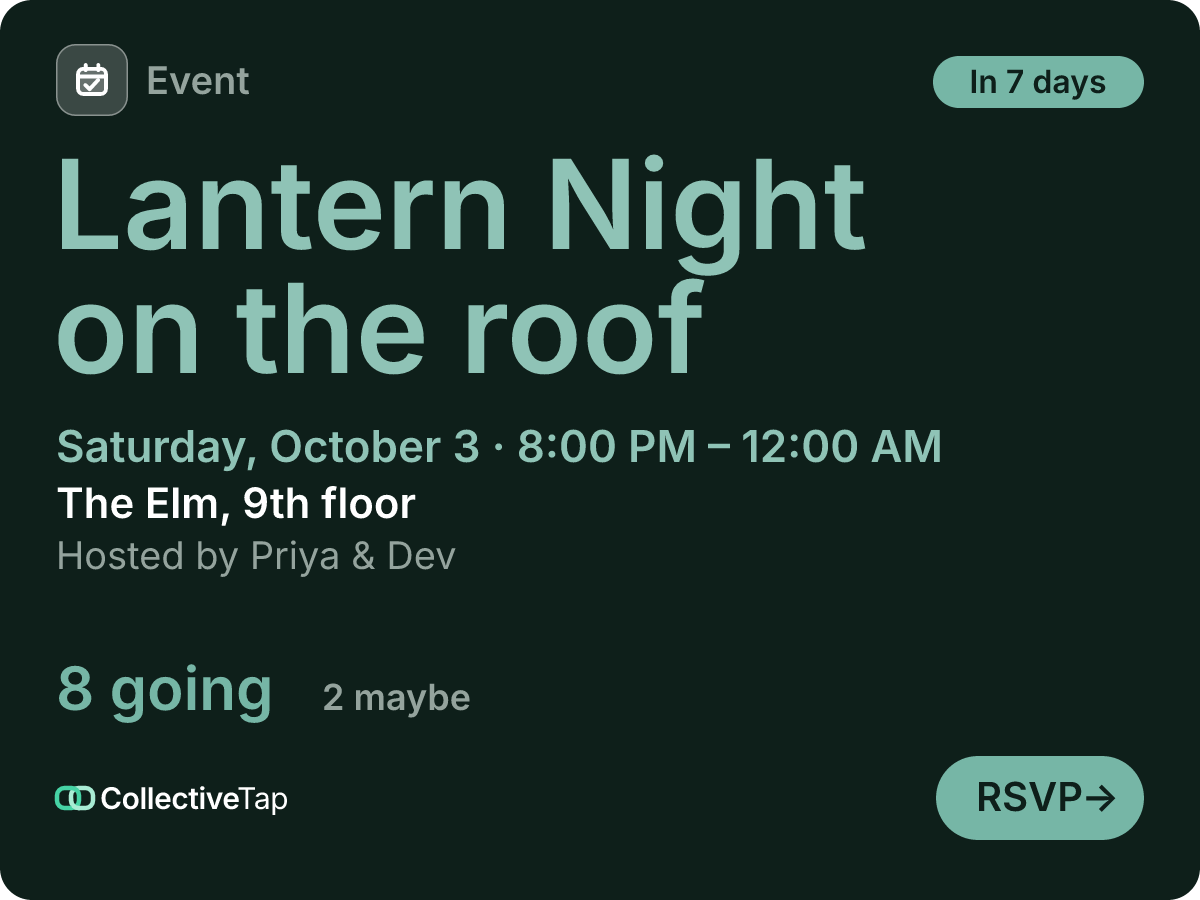
A party invite has to look like a party and count like a spreadsheet. This kind uses the Poster layout, the title set huge on the paper in your colour, with Yes / Maybe / No answers and two plus-ones per guest, so the card says “22 going · 4 maybe” without anyone counting.
What the group sees
Choose Party and the event is set to RSVP answers with plus-ones, no cap, in the Poster layout and look. Type the name of the night and where it is, pick a colour, and the card in the chat is the invite: the title across the paper, the date and time in one line, the tally underneath. Guests tap the card, answer with one of three big buttons, and add a guest if they are bringing one.
- Yes / Maybe / No
- No cap
- Up to 2 plus-ones
- 4 hours
- Poster layout
The page keeps the answers in three groups so the host can see who is a maybe and nudge them. The story image, one tap on the page, is a vertical version of the invite with a QR code, made for an Instagram story or a WhatsApp status; the flyer is the same invite on paper.
How to set it up
RSVP with Yes / Maybe / No, two plus-ones per guest, the Poster layout in the Poster look.
The title goes huge on the card. Add the place and the time; set an RSVP deadline if the caterer needs a number.
The link unfurls in the chat; the story image goes to Instagram; the flyer goes on the door.
What it does for you
Guests who are unsure say so instead of ignoring the thread, and the host knows who to nudge.
A guest adds their plus-one on the page; the tally on the card includes them.
The Poster layout sets the title large in your colour. No template gallery, no app.
Party FAQ
Can I set an RSVP deadline?
Yes. Set “RSVP by” and answers close at that time; the card says so and the page explains it.
Can guests see who else is coming?
By default yes, grouped by answer. Turn on Hide attendee names and only the numbers show.
Is there a story-sized image?
On the page, Share this event has a Story image button: a 1080×1920 PNG with the date, the title and a QR code of the invite.
Make a party link.
Free, no account, one link for the group.
Make one like this →