Study group —
six seats, every week, no app
A study group works when the same five people show up at the same table every week. This kind caps the event at six, keeps a waitlist for the seventh, and repeats weekly so the link in the class chat is the same one all semester.
What the group sees
Pick Study group and the event is set to one tap to join, six spots with a waitlist, weekly, in the Notebook look. Type the library room and the hour, and the card in the chat shows the seats as chips with the count. Classmates tap to join; when six are in, the next one queues.
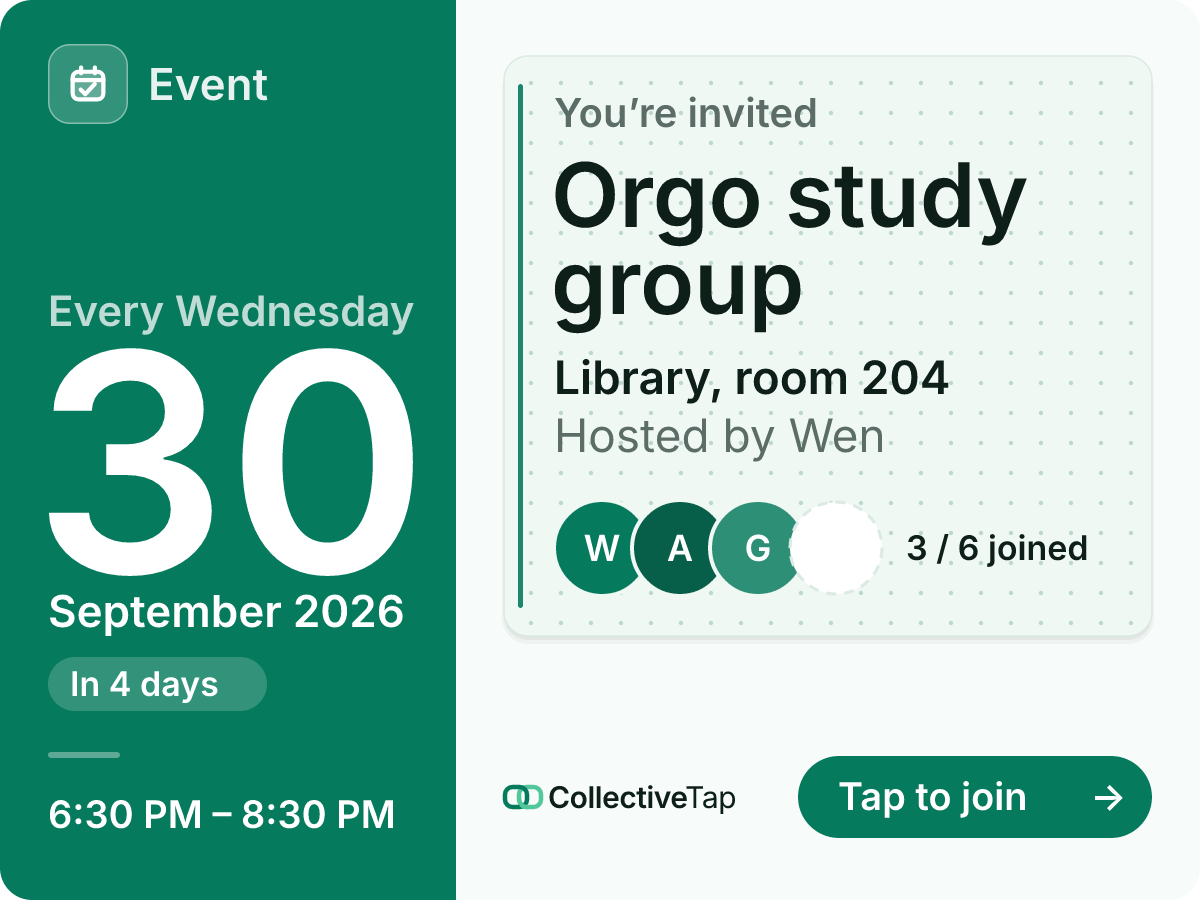
- One tap to join
- 6 spots
- Waitlist
- 2 hours
- Repeats weekly
- Invite card layout
After the session the link rolls to next week with an empty list, and the page keeps a record of who came. Add a Note link for the problem set or a List for what to bring, and put both in a Hub so the group has one place for the semester.
How to set it up
Six spots, a waitlist, a weekly repeat, the Notebook look. Change the number to your table.
The card carries the day and time; the countdown badge appears the day before.
Classmates join with one tap; the link is the same every week.
What it does for you
A cap keeps the table a study group and not a lecture; the waitlist keeps it fair.
Weekly repeat means one message in the chat, pinned, for the whole course.
The Notebook look draws the card on ruled paper in your colour. Same card, every chat app.
Study group FAQ
Can two groups share one link?
Make two events, or use the Slots layout with a slot per table and a cap on each.
Can I move the session one week?
Change the date from the admin panel on the page; the weekly repeat continues from the new one.
Do classmates need an account?
No. The link is the app: tap, type a name, and you are on the list.
Make a study group link.
Free, no account, one link for the group.
Make one like this →