Surprise party invite:
everyone in the room first
A surprise party has one job: get thirty people into a room, quietly, before the one person who can’t know. That means a real headcount, an arrival time people actually stick to, and a way to reach everyone at once when the car pulls up.
What the group sees
Pick Surprise party and the invite uses Going / Maybe / Can’t go with a plus-one, on the Invite layout in the Dark look, which reads low-key in a busy group chat. Here’s the trick that saves most surprise parties: set the start time to when guests need to be there, not when the guest of honour arrives. If Dad walks in at 7:30, the invite says 7:00. The card, the calendar invite and the reminder all run off that time.
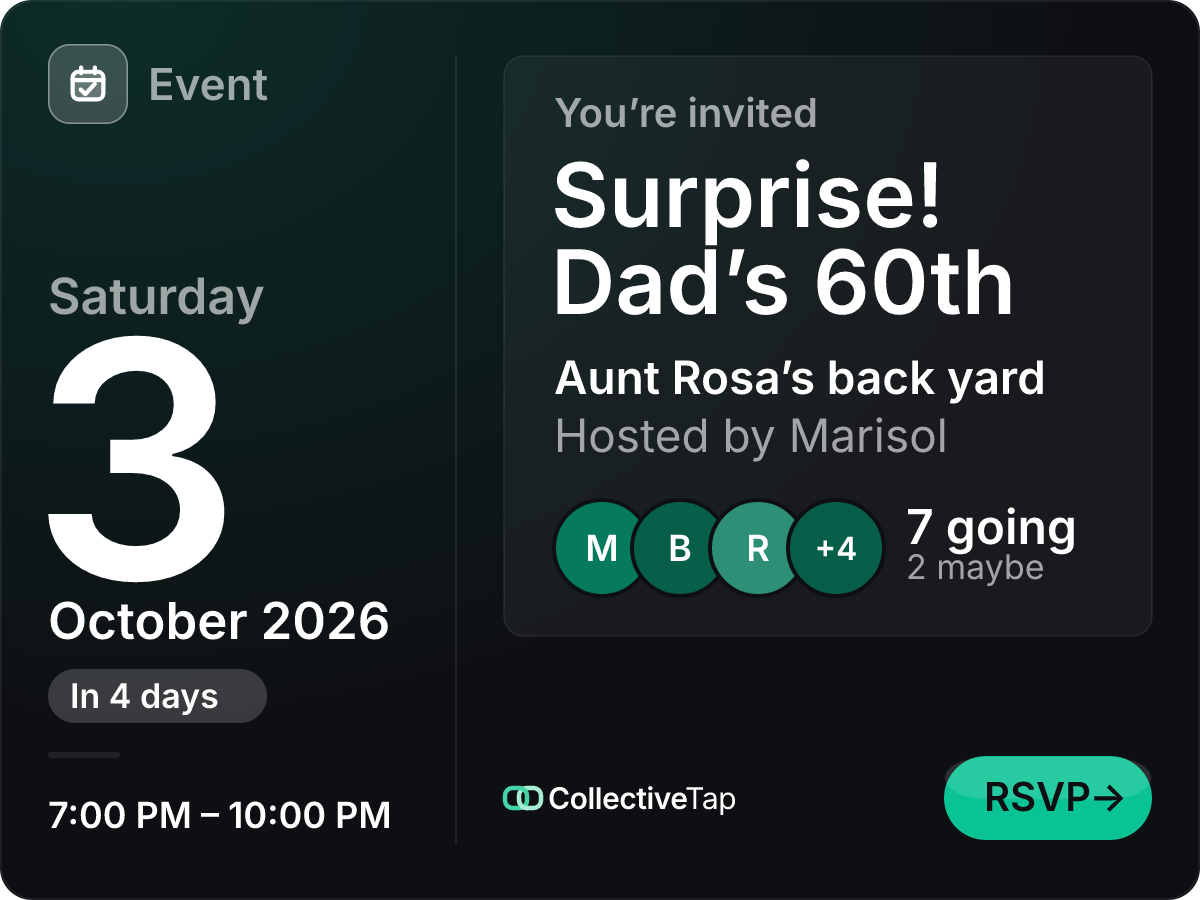
- Going / Maybe / Can’t go
- No cap
- Up to 1 plus-one
- 3 hours
- Invite card layout
On the night, the page is your walkie-talkie. Post a host update like “He’s parking. Lights off, phones down” and everyone who tapped Remind me gets it as a notification. The update also sits at the top of the page for anyone who opens the link late.
How to set it up
Going / Maybe / Can’t go, one plus-one each, the Invite layout in Dark. Turn on Hide attendee names if the guest list itself would give it away.
Guests see one time: when to be in the room. Put where to park, and which door to use, in the description.
Share the link one person at a time or in a new chat that doesn’t include the guest of honour. Ask people not to forward it to the big group.
A surprise party timeline
Pick a date with whoever runs the guest of honour’s calendar, and send the link. If you aren’t sure which night works, use Find a time first and lock one.
Check the Maybes. For a surprise, a Maybe who turns up late and rings the doorbell at the wrong moment is a real risk, so get a straight answer.
Post an update with the final plan: arrival time, parking, who’s bringing the cake. People with reminders on get it straight away.
Post the “they’re on the way” update. Everyone gets a notification, and nobody has to watch the group chat.
What it does for you
Host updates go to everyone who turned on reminders at once. No phone tree, no “did anyone tell Greg?”.
Plus-ones are counted on the page, so “22 going” means twenty-two people to feed.
The Dark look is quiet in a chat, you can hide the names, and the title can say whatever you like. “Saturday plans” works.
Surprise party FAQ
Can the guest of honour find it?
Only if someone sends them the link. There’s no public listing and no search, and the link isn’t guessable. The risk is the same as any group text: keep it out of chats they’re in and ask people not to forward it.
Can I hide the guest list?
Yes. Hide attendee names shows only the numbers on the card and the page. You still see every name and every note from your organizer link.
How do I tell everyone when they’re close?
Post a host update from the page. Guests who tapped Remind me get it as a notification within seconds, and it stays at the top of the page for everyone else.
What if the surprise gets moved?
Change the date or time from your organizer tools, then post an update. Anyone with reminders on hears about it, and the calendar entry they saved links back to the page, which shows the new time.
Make a surprise party link.
Free, no account, one link for the group.
Make one like this →