Housewarming invite:
drop-in hours and the way in
Nobody knows your new address yet. That’s the whole problem with a housewarming invite: half the questions you get are “what’s the buzzer code?” and “where do I park?”. This invite answers those before anyone asks, and it keeps a count so you know how many glasses to wash.
What the group sees
Pick Housewarming and the invite uses Going / Maybe / Can’t go with a plus-one, a four-hour window, the Invite layout and the Warm look. Make the title say it’s a drop-in, like “Stop by the new place, 5 to 9”, so nobody thinks they’re late at 7. The card in the chat shows the date on its rail with the hours below, and the initials of who’s coming.
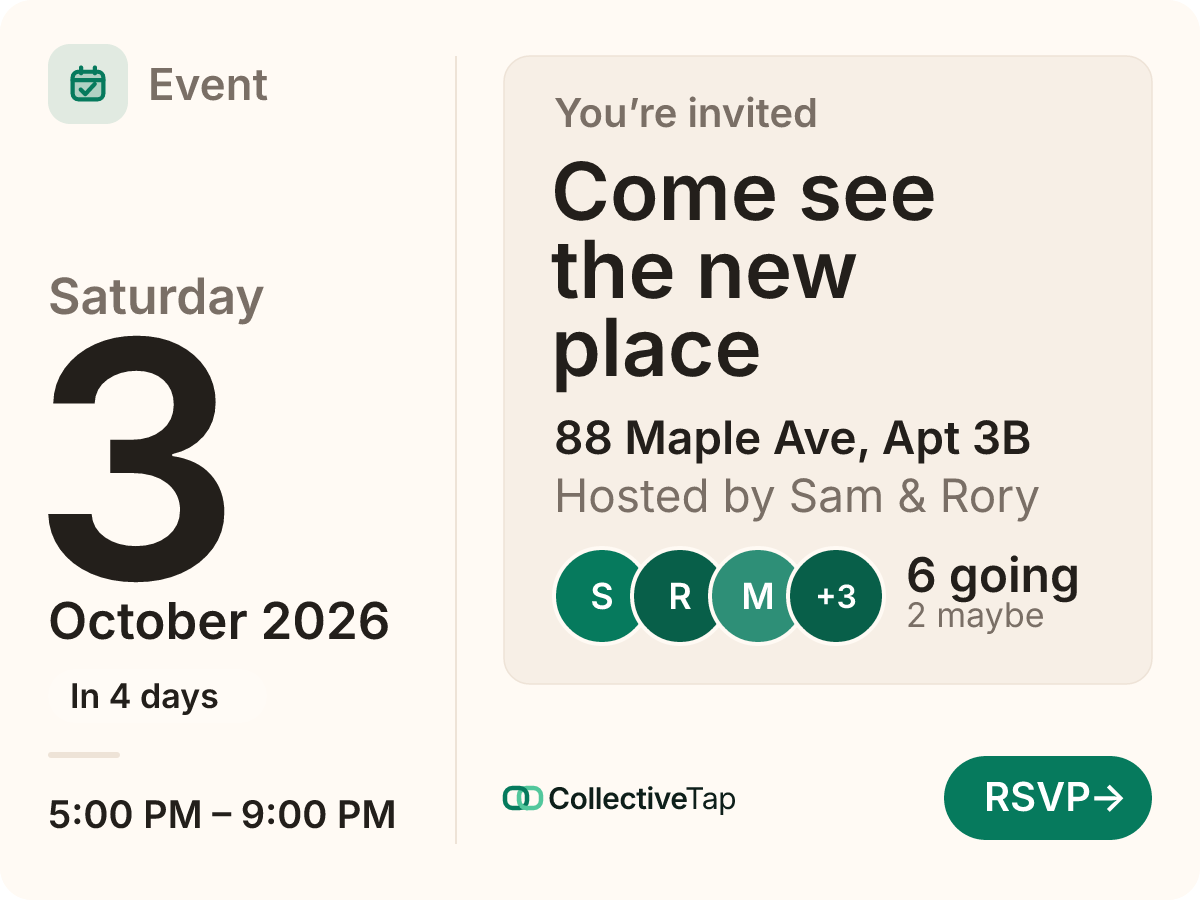
- Going / Maybe / Can’t go
- No cap
- Up to 1 plus-one
- 4 hours
- Invite card layout
Everything about getting there goes on the page. The address opens in Maps with one tap, and the description holds the rest: the buzzer number, which door, where the street parking is. If friends ask what to bring, keep a List link of what the house actually needs (a step stool, plants, not another candle) and let people tick things off.
How to set it up
Going / Maybe / Can’t go, a plus-one each, drop-in hours, the Invite layout in Warm.
The address becomes a Maps link. Buzzer, door and parking go in the description, where guests will look for them.
Old roommates, the work chat, the family thread. One link counts everyone.
A housewarming timeline
Send the link. Two or three weeks’ notice is plenty for a drop-in.
Share it again. Anyone who missed it the first time sees a card with people already going.
Post an update with anything new, like “Side gate is open, come round the back”. Guests with reminders on get it on their phone.
Print the flyer with its QR code for the lobby or the mailbox, if you’d like the people next door to come too.
What it does for you
Open in Maps, the buzzer in the notes, Add to calendar with the hours. Nobody texts you for directions.
People answer whether they’re coming, even for “swing by anytime”, so you buy the right amount of food.
Share link hands the invite to any app on a guest’s phone, so a partner or a housemate can forward it without asking you.
Housewarming FAQ
Can I share it with neighbours who aren’t in my group chats?
Yes. Print the flyer from the page; it has a QR code that opens the invite. Neighbours can RSVP without an account or an app.
Is my address visible to everyone with the link?
Anyone with the link can see the event page, address included, so share it with people you’d invite in person. There’s no public listing, and the link isn’t guessable.
Can guests tell me what they’re bringing?
They can say so in the note for the host. To avoid three bottles of the same wine, make a List link of what you need and put it in the description or a Hub.
Can I close it after the party?
Close it from your organizer tools whenever you like. Otherwise the page stays readable for a while after, so people can find each other’s names.
Make a housewarming link.
Free, no account, one link for the group.
Make one like this →